

Day 90 of 100 [Alex_ADEdge]
The end is near!
Stats for Days 81-90:
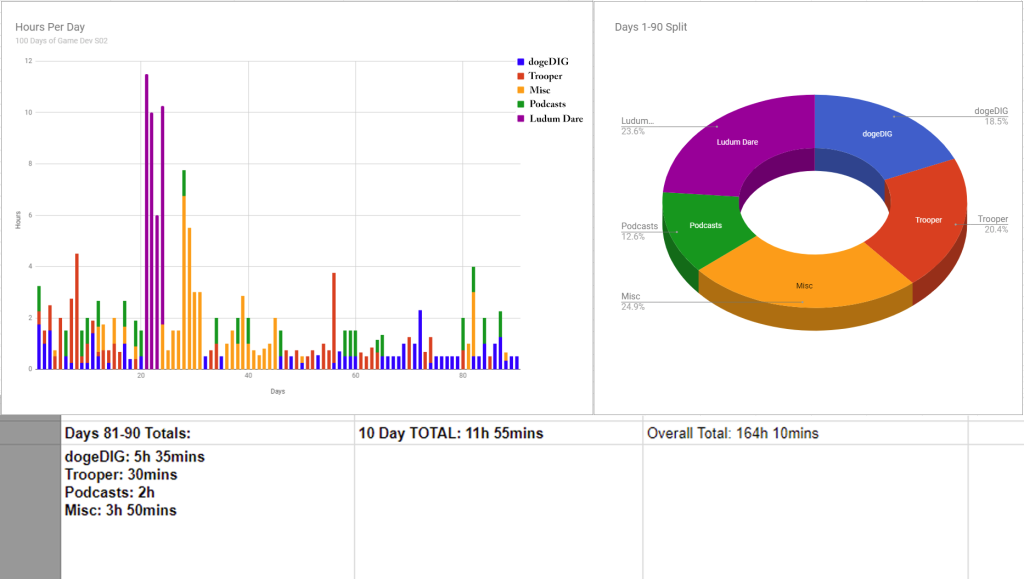
Progress:
dogeDIG
Momentum continues to build with dogeDIG, things are looking a lot clearer now (I’ll go into more detail in my Day 100 post).
During the past 10 days for dogeDIG I looked into how to approach the terrain side of things, which is really going to be a monstrous side of the work for this game. Ive had a few ideas on how to tackle it, but none have gotten too far. In doing some research when it comes to using tile-terrain/voxel-terrain/pixel-terrain in unity I came across some interesting things – including the discovery of Unity’s inbuilt tilemap system which I had no idea existed!

Tests with unity’s tilemap system (center of test area), and voxel cubes (to the right).
But ultimately Ive realised the tilemap system is a bit limited and probably wont be able to work as I need – which means I’ll need to implement my own system (which I was planning on doing anyway – and have spent some time on in the past already). The biggest discovery when it came to tilemaps though, was Unity’s composite collider component, which automatically merges together the colliders of any objects you choose. This is pretty important for tile/voxel based systems, since having 100s of separate colliders in a scene can lead to issues. ie A bunch of issues I was having with the voxel terrain test area was quickly solved when I switched to using composite colliders – such as the doge getting stuck/tripping between collider edges.
So with some progress in that area, I started working towards some digging mechanics! This meant whipping up a digging animation, and adding in some dirt chunks for detail.
Heres a bit of a glitch – what happens when youre trying to setup the dirt chunks to shrink away into nothingness but get a +/- mixed up:

The dirt chunks working as intended:

And finally the first look at the doge actually digging! (complete with everything crashing at the end):

Trooper:
As the stats show, I really havent been putting much time towards the trooper project recently. With a grand total of 30mins of work in the past 10 days its really slowed down. This is slightly because of the traction Ive found with dogeDIG (which is the primary project anyway) but mostly because of how complicated zBrush is to pick up. I certainly wasnt expecting to master the program, but it turned out the tutorial Im following isnt as beginner-friendly as I thought. I quickly realised I’ll be needing to do other tutorial series to cover the basics, which is likely a lot of really boring work, which doesnt make for anything interesting during this challenge.
Example A:
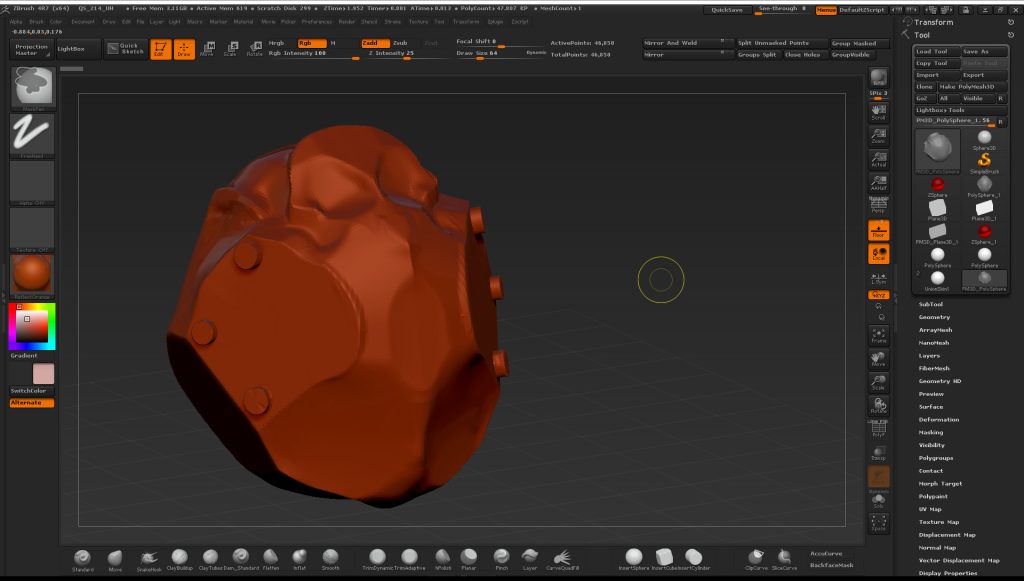
This is what I mean by not overly interesting content. Working through the early zBrush sections of this tutorial means a lot of strange looking blobs as I learn how the program and brushes work. Its going to be a good deal of learning before I can properly take on whats needed to be done for the trooper – so the trooper is going to have to wait for a bit!

Thats all for Days 81-90, 10 days left so its almost time to finish the challenge!
Love, love love the dog digging. Is there a reason it crashed? I love that you left that in for all to see – stuff happens. Totally feel your pain with the zBrush. I’m teaching myself inkscape. I have a tutorial book for it but it’s huge, complex (the book and program) and seems too much for me in these early stages – lots of reading. I’m going to keep at it though as there’s things I wish to do that Photoshop Elements just doesn’t handle as well. For me (and you, Alex) it will be practice, practice and then practice some more! What I need is more time. I never have enough time. Keep going, Alex. I might not understand all about DogeDIG but I love the way it’s shaping up.
Yep theres always a reason! If you look to the left and right of the doge character in the leftmost side of the images you can (just barely) see ‘rays’ being cast downwards. They go green if they detect the ground or red if they dont. Rays are a powerful tool because they let you ‘look’ in the game for objects and therefore have a variety of different uses. Theres a third ray that gets cast as the doge digs (a small blue one you can barely see), which looks for dirt chunks and when it finds them it removes them – which is this basic implementation of the digging mechanic.
But to answer your question – things broke because I had to cast a ray either left or right looking for dirt depending on which direction the character was facing at the time it started digging and I did this a bad way – by casting a different (left or right) ray based on the direction. If the left or right ray found an object then it processed what to do with the object (remove it if its dirt or ignore it otherwise) in code that was unique to either the left or right ray – which is bad programming practice because…. at some point in the code when the left ray ‘found’ an object it passed that object to BOTH the left and right ray check when it should have only been checked by the code that deals with the left ray – so when the doge flips the other direction suddenly the right ray starts processing that ‘saved’ object – which of course doesnt exist anymore because the left ray removed it as soon as its found. So the error printed to the console was the common ‘null reference exception’ error because the game crashed when it went into an exceptional (unusual) state based on code referencing and then trying to do something to a game object that no longer existed (ie it was null).
As complicated as it sounds it was a really simple problem in the end, I’d just named one thing wrong and fixed it easily the next day when I wasnt so tired.
…..and then a day later I deleted all that code anyway when I replaced that entire system with something much better!