

!Day 100 of 100! [Alex_ADEdge] Challenge Complete!
Thats 100 consecutive days of game dev & over 189 hours, completed!
It feels good to be here again. This post will be a look at what I worked on in the final 10 days, and then review the challenge overall.
Final Stats:
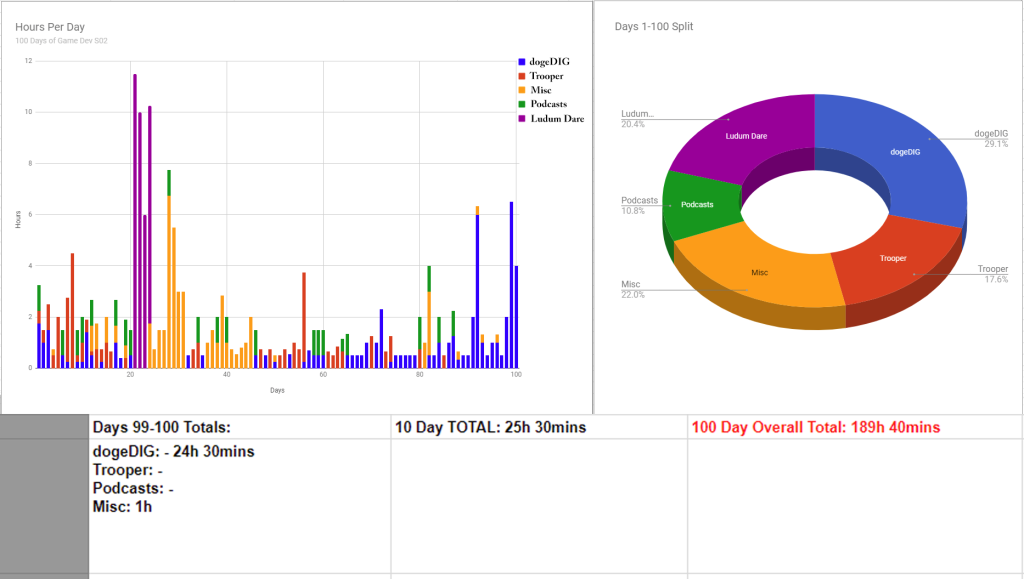
The final 10 days:
dogeDIG:
At the start of this 10 days I went back to the player controller code and spent many hours once again rewriting it. I did this once in the March pre-challenge. Then again in the first 10 days, and now, almost 100 days later, again! Thankfully the mess of states wasnt too bad since I havent progressed with implementing any other behaviours or states with the doge – which was a conscious decision because I know Im about to.. you guessed it – revamp the player character again! (in the near future).
Its been a very iterative process, but every time I rewrite/redesign it I learn more and the player controller gets closer to being how I need it to be. This player control setup is of course the basis for the game (because imagine playing a game with a glitchy and poorly implemented main character) so it needs to be basically flawless. Ive got a lot of plans on how to achieve this, and this 100 day challenge has gotten the ball rolling on that front.
I did some (very exciting) spring cleaning in terms of the project itself (sarcasm). This means all old files scripts hanging around from prototyping years ago got removed, project folder structures reworked and a few old bugs or annoying things ironed out. Not the most interesting stuff, but at the end of this 100 days I really want the project itself refreshed and heading in a more efficient direction – rather than being a dump for old files and empty folders.
I also realized the quick digging mechanic I implemented at the end of the last 10 days was pretty rubbish, so it was time for that to be iterated as well. Instead of casting rays I instead set it up to use a colliding object with the added advantage of being able to animate the position and size of the digging object (which would technically be a pain to do with a raycasts). This meant that directional digging was a breeze to get working, so now when you dig you can use the arrow keys to choose to dig downwards, sideways, or a bit upwards. Digging/movement upwards is going to need a lot more work though, so currently you can only dig down.
Then it was time to get a new prototype area setup, Ive only had the bland and boring ‘test box’ area throughout this challenge and with a few days remaining it was time to get a test area more like the planned end game – ie with fully dig-able terrain with underground rocks and hidden caves, along with a nice ocean background with animated waves, clouds, maybe throw in some 3d title text etc etc.
Sounds like a lot?? Kinda, but with all the work Ive done during the past 100 days its all been foundation work for that kind of setup – so it didnt take too long to throw together!


The ground was simple enough to expand upon – I made a new ‘stone’ prefab object which is stronger that the dirt or grass (with grass blocks being the easiest to dig through). Then I just had to spend some time building a few more layers of dirt and dug out a ‘natural’ cave deeper under the surface – which made a perfect location for the bat to live!
In the final version of dogeDIG obviously this will all be procedurally generated and with a lot of optimisations – but for now I just wanted to see a quick prototype of what the terrain might end up looking like once procedural generation is working. If anything this sets the bar on what to aim for initially. I’ll be wanting much more interesting terrain than this once I get the generation working.
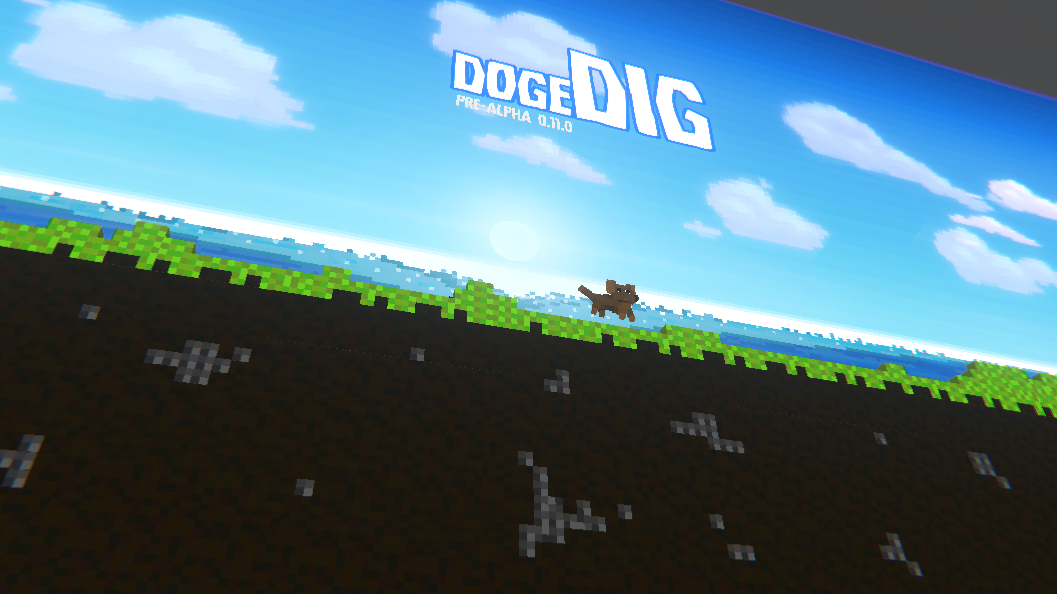
Quick and easy terrain mockup based on grass/dirt/rock blocks
Trooper (final 10 days)
Null – I didnt work on the trooper in the final 10 days. As I mentioned in the day 90 review I’m not at a very interesting point with that project and with the challenge about to wrap up I decided to put all my time into working on dogeDIG!
_________________________
Reviewing the challenge Overall

dogeDIG Review:
How dogeDIG looked at the start of this challenge:

And how it looks now:
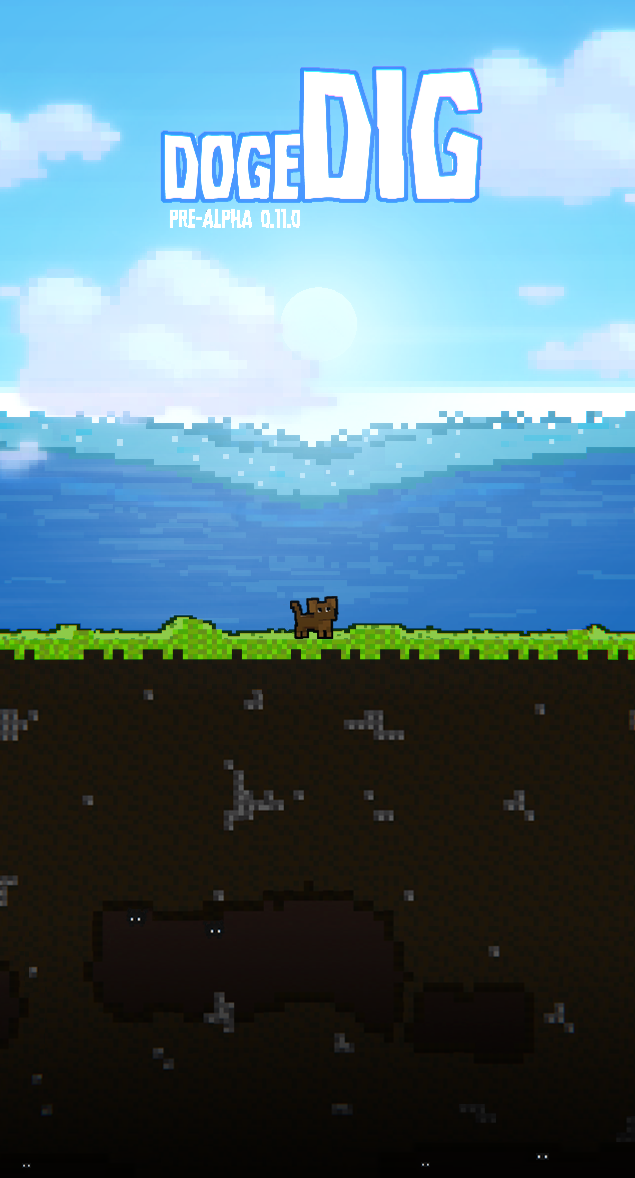
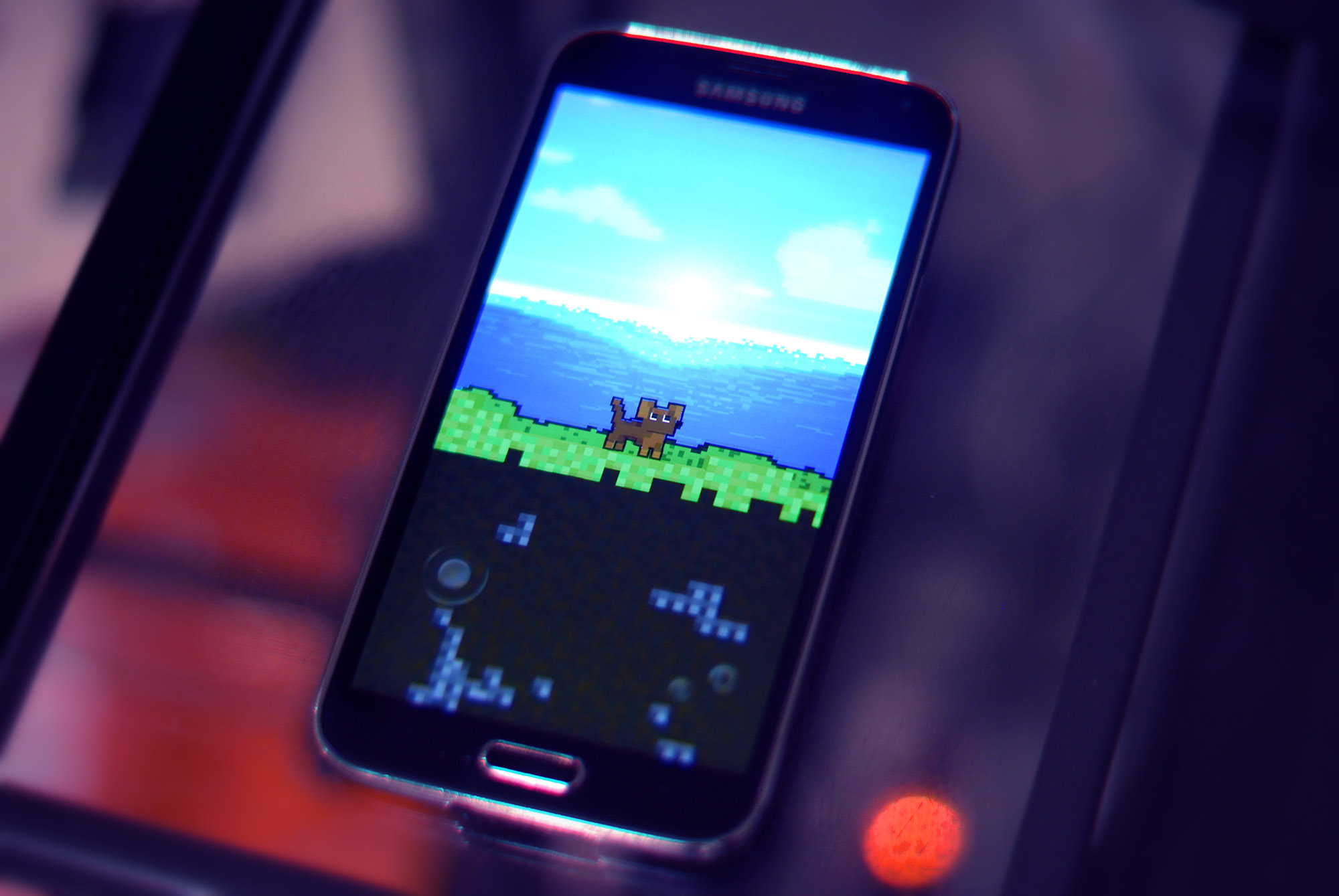
Its certainly developed! I’m definitely happy with the progress dogeDIG underwent over the 100 days – from starting out pretty uncertain to now having solid goals in mind.
So overall with dogeDIG I feel like the project itself is a lot more on track. Ive got the new direction for the voxel art (new doge redesign coming up soon!) and I know each module of the game which needs to be developed before it becomes what I envisioned and can be released as potentially my first official game.
Trooper Project Review
A strong start for this part of the project and something that I put a lot of hours into initially, the low poly version of the trooper came along nicely. I got a bit off track after Ludum Dare, but spent a good part of the middle of the challenge working on concepts and designs for the trooper.
But unfortunately by the time I got to the final third of the 100 days I’d started to realise the project wouldnt be completed by day 100. The high poly sculpting was proving to be a lot of work and so I decided to focus more on dogeDIG.
It was a solid side project though, and one that was a good break from dogeDIG when I needed it. And as with dogeDIG Ive come out the other end of this challenge with a good idea of what the finished project I have in mind is. So I’ll be continuing with it in future (wherever I have time!)

Finally – And not forgetting – Ludum Dare!
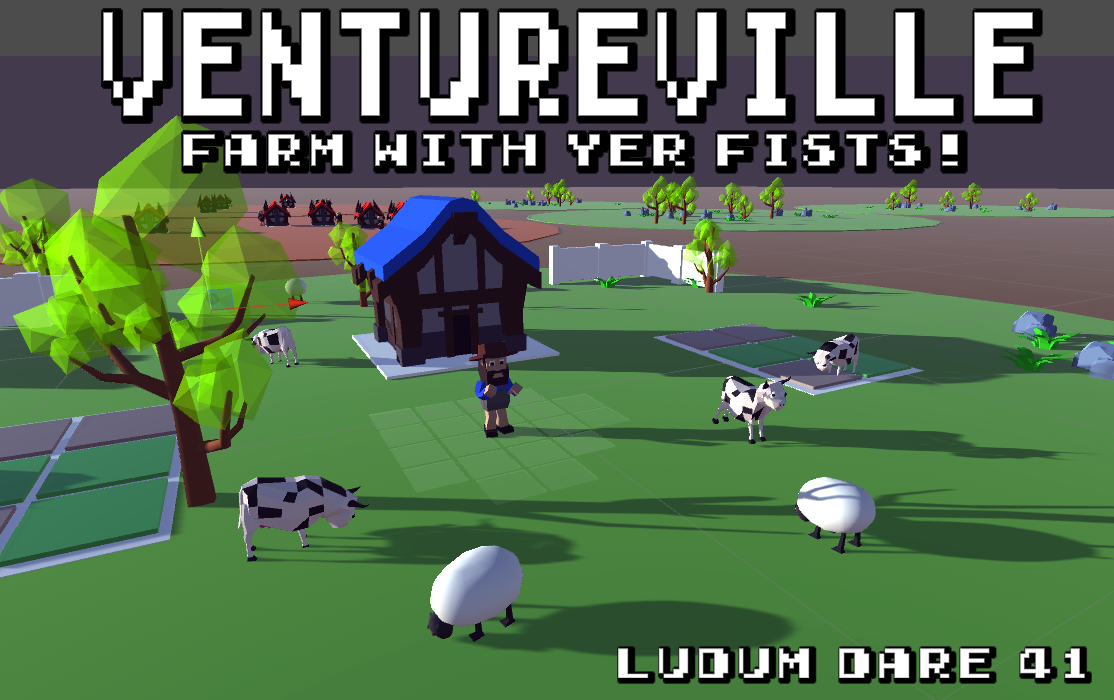
The 3rd solid chunk of hours in this 100 Day Challenge and a decent chunk of the hours overall, I didnt expect this game to take up so much of my time. But a lot was learnt and it helped me get a better grasp on making games in Unity.
Looking forward to future gamejams!
So thats all for this post – just one more blog post from me and then this challenge will be 100% complete!